Combine and split
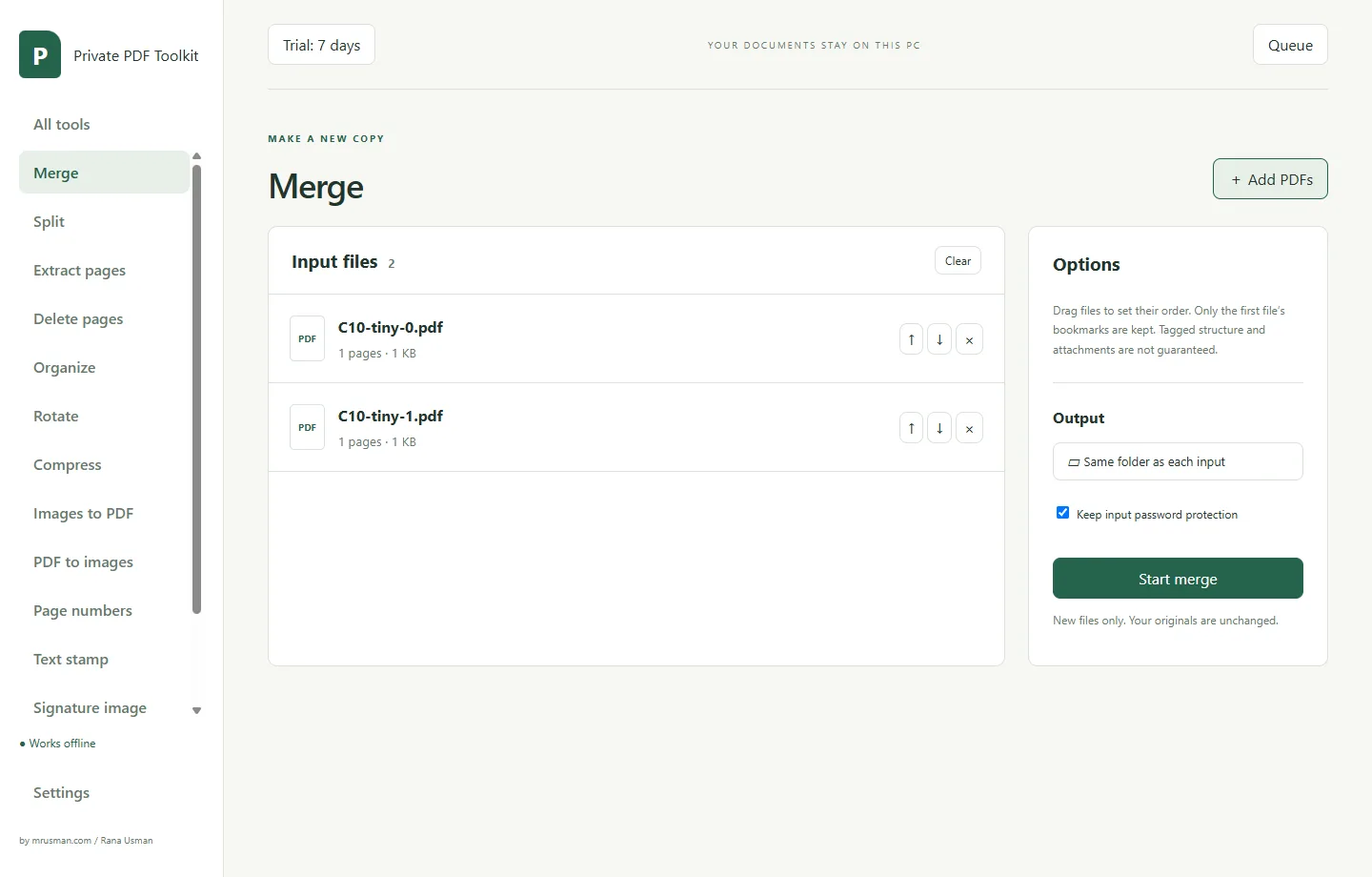
Merge PDFs in the order you choose, split by page count or by ranges such as 1-3, 7, 9-end, extract pages or delete pages.
Windows software for confidential documents
Private PDF Toolkit does everyday PDF jobs on your own Windows PC: merge, split, organize, compress, convert, number, stamp and password-protect. Your documents stay on your computer, nothing is uploaded, and no account is needed.
AED 199 per month, or AED 800 one-time · 7-day free trial · Version 1.0.0 · Windows 10/11 (64-bit)
What it does
Built for contracts, statements, invoices and reports that should not go to a website. Every tool works on many files at once and writes new files, so your originals stay as they were.
Merge PDFs in the order you choose, split by page count or by ranges such as 1-3, 7, 9-end, extract pages or delete pages.
See page thumbnails, drag pages into a new order, rotate and delete them, with undo and redo. Nothing is written until you save a new PDF.
Three presets make the images inside a PDF smaller. Text is not changed. If a file cannot be made smaller, the app says so and writes no new file.
Turn JPG, PNG, WebP or TIFF images into a PDF, or export PDF pages as PNG or JPG at 96, 150 or 300 DPI.
Add page numbers or a text stamp, or place a picture of your signature on a page by clicking and dragging on a preview.
Protect a PDF with a password using AES-256, or remove a password you know. The app never guesses or cracks passwords.
How it works
Choose Merge, Compress, Protect or any other tool, then add your PDFs or drop them on the window.
Pages, preset, stamp text or password. Problems are shown before you start, next to the file or field.
Jobs run one after another in a queue, with progress and Cancel. Each result is a new file; your original is never changed.
Inside the app
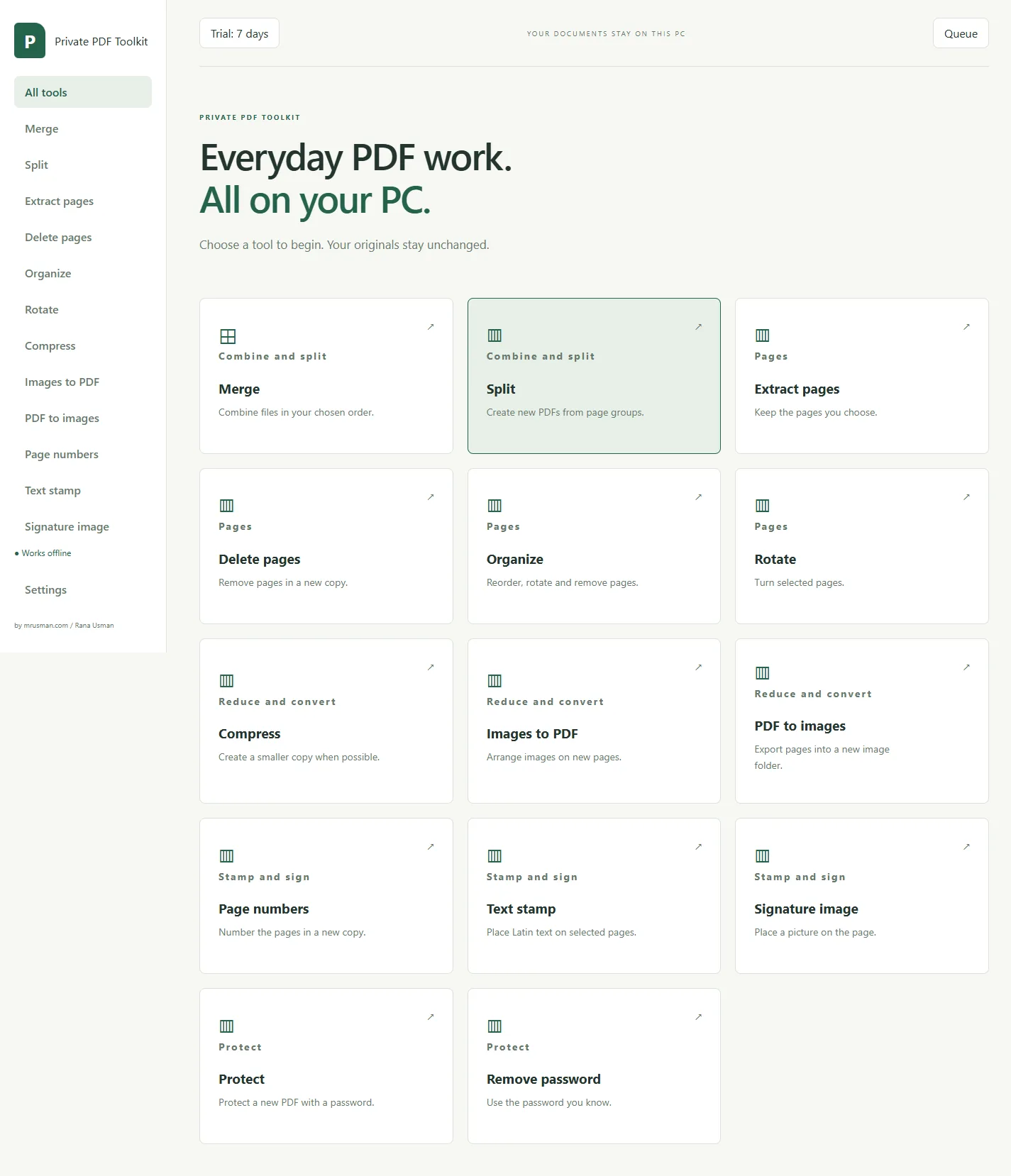
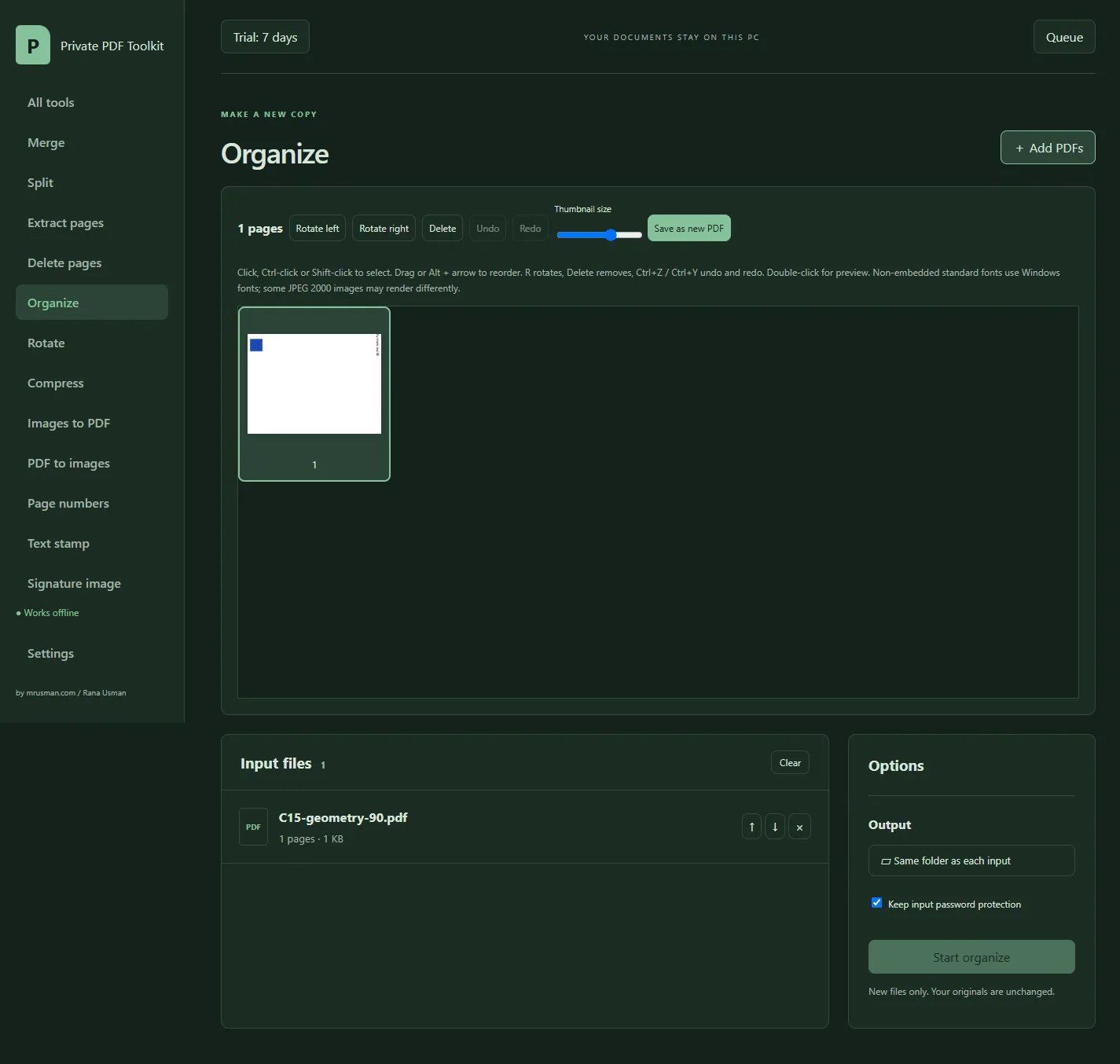
Screenshots from the app with sample test files.
Privacy
Honest limits
Pricing
Try everything free for 7 days. Then choose a monthly licence, or a one-time licence you keep. Both cover 1 PC plus 1 backup PC, and nothing is ever charged automatically.
Monthly licence
AED 199 per month · about US$54
One-time licence
AED 800 one-time · about US$218
Pay by bank transfer or PayPal. Refund terms are on the licence terms page. Private PDF Toolkit, ListingReady and Real Estate Reel Maker are licensed separately.
Install it and use every tool on your own documents for 7 days. No watermark.
In the app click the Trial button at the top to open Licence settings, press Copy machine code and send the code to us on WhatsApp or through the contact page.
Choose monthly or one-time. We send the payment details. Nothing is charged automatically and no card details are stored.
We confirm your payment and send a licence key for your PC. Paste it into the licence screen and press Apply licence.
Free trial download
7 days, every tool, no watermark, no sign-up. Windows 10 or 11, 64-bit.
Version 1.0.0 · released 2026-11-09. The installer is not code-signed yet, so your browser or Windows may warn you. That is expected; the steps below show what to click.
SHA-256 checksum of the installer:
ccf9fe83958fd2d338331806ea566690f5ecc3bc7584c0e4b9149b6121c6b600In PowerShell: Get-FileHash .\Private-PDF-Toolkit-Setup-1.0.0.exe -Algorithm SHA256. The result must match exactly.
| File | Size | SHA-256 |
|---|---|---|
| Portable ZIP (no installer) | 171.6 MB | ba84563cb441e4dd127acd5d454de74b8b72575198fa4127e3f0a593cfff3b9f |
| Open-source library sources (qpdf, libvips and others) | 233.2 MB | 6122ff32b54061433b8520f0b6c1953b5eb6da7a7acf78553ada976ac40bb696 |
| Electron's FFmpeg source (ffmpeg.dll, LGPL) | 26.3 MB | 0b583355d51474b7cff8d40905e3c2a34f58c67720bac98e501cee62c86d75f1 |
The portable ZIP runs from any folder you can write to, without installing. The source archives are the corresponding source for the open-source libraries in the app, offered under their licences (LGPL and others), including the FFmpeg library that Electron ships as ffmpeg.dll; you do not need them to use the app.
Requirements
| Operating system | Windows 10 or 11, 64-bit. Tested on Windows 11. |
|---|---|
| Memory | 8 GB recommended. A very large, image-heavy file (about 1 GB, 2000 pages) used about 2 GB while compressing in our tests. |
| Disk space | The installer is about 119 MB and the installed app about 500 MB, plus free space for your new files and the job's working files. |
| Files | Tested with files up to 2000 pages and 1 GB. Larger files are allowed but are outside what we tested. |
| Internet | Not required to use the app. |
| Install | Installs for your own Windows user. Administrator rights are not required. A portable ZIP is also available. |
Installing
The installer is not code-signed yet, so Windows may warn you the first time. Here is exactly what you will see and what to do. Your browser may also say the file is not commonly downloaded: choose Keep.
Download the installer and, if you can, compare its SHA-256 checksum with the one on this page.
Double-click the installer. If Windows shows a blue Windows protected your PC window, click More info, then Run anyway. This appears because the installer is not code-signed yet.
Accept the licence terms and choose the install folder (the default is fine). Administrator rights are not required.
Open Private PDF Toolkit from the Start menu. On some PCs the very first start takes longer while security software scans the new program. This is normal and only happens once.
To activate: click the Trial button at the top of the app to open Licence settings, press Copy machine code, send the code to us, then paste the key we send back and press Apply licence.
Licence terms, refunds and support are on the licence terms page.
Questions
Offices, lawyers, accountants and anyone who handles confidential PDFs such as contracts, statements, invoices and reports, and does not want to upload them to a website to merge, compress or protect them.
There are two ways to pay. Monthly: AED 199 (about US$54) per month, paid in advance; each paid month gets a new key, and nothing renews or charges by itself. One-time: AED 800 (about US$218), paid once, including 1 year of updates; after that year the version you have keeps working, and an optional update renewal is AED 250 (about US$68) per year. Both cover 1 PC plus 1 backup PC. The 7-day trial is free.
The app works as it does at the end of the trial: you can still open your files and see their pages, and a job that is already running finishes, but starting a new job needs a new key. Pay for the next month and we send a new key; paste it and everything works again straight away. The end date is shown in the app.
No. Every job runs on your own computer. The app does not send documents, file names, passwords or anything else to any server, and it makes no internet connections.
No. You can install it, use it and activate a licence key without internet. The only online action is the Buy a licence button, which opens this website in your browser.
Often, when the PDF contains large images, such as scans or photos. Text, fonts and forms are not changed. Results depend on the file, so we do not promise a percentage. If a file cannot be made smaller, the app tells you and writes no new file; your original is always unchanged.
No. It places a picture of your signature on the page, like a stamp. It is not a digital certificate, does not lock the file and does not prove who signed. Ask your legal adviser whether a picture of a signature is acceptable for your document. If a PDF already has a digital signature, the app warns you that the new copy will not keep it valid; the original stays unchanged.
Nobody can open that file without the password, including us. The app cannot recover it. Keep the password somewhere safe. To remove a password, you need to know it; the app never guesses or cracks passwords.
Yes. The app includes a 7-day trial with every tool and no watermark. After the trial you can still open files and see their pages; running new jobs needs a licence key.
No. Each app has its own licence key. If you already use one of them, your machine code is the same, so we can issue several keys from one message.
Yes. Send us the new machine code and we will issue a replacement key at no charge. A replacement for a monthly licence keeps the same end date. There is no automatic transfer because the app does not phone home.
The installer is not code-signed yet, and Windows warns about any new unsigned installer. Also, on some PCs the very first start after installing can take longer while security software scans the new program. Check the SHA-256 checksum we publish for the installer to confirm it is the genuine file, then choose More info and Run anyway if you are comfortable.
Please use the free 7-day trial first; it exists so you can check the app on your own documents before paying. Once a key has been issued, a licence, including a monthly licence, is not refundable. The exceptions are being charged twice, not receiving a working key, or us being unable to get the app to install or activate on a supported PC after reasonable help. The full terms are on the licence terms page.
The app is built from open, commercially licensed components, including qpdf for PDF structure work. The sources of the open-source libraries are offered for download next to the installer, and the full notices are inside the app. It has no ads, no tracking and no hidden background services.
What's new
Start the free 7-day trial today. If it works for your files, a licence is AED 199 per month or AED 800 once.