Auto Enhance
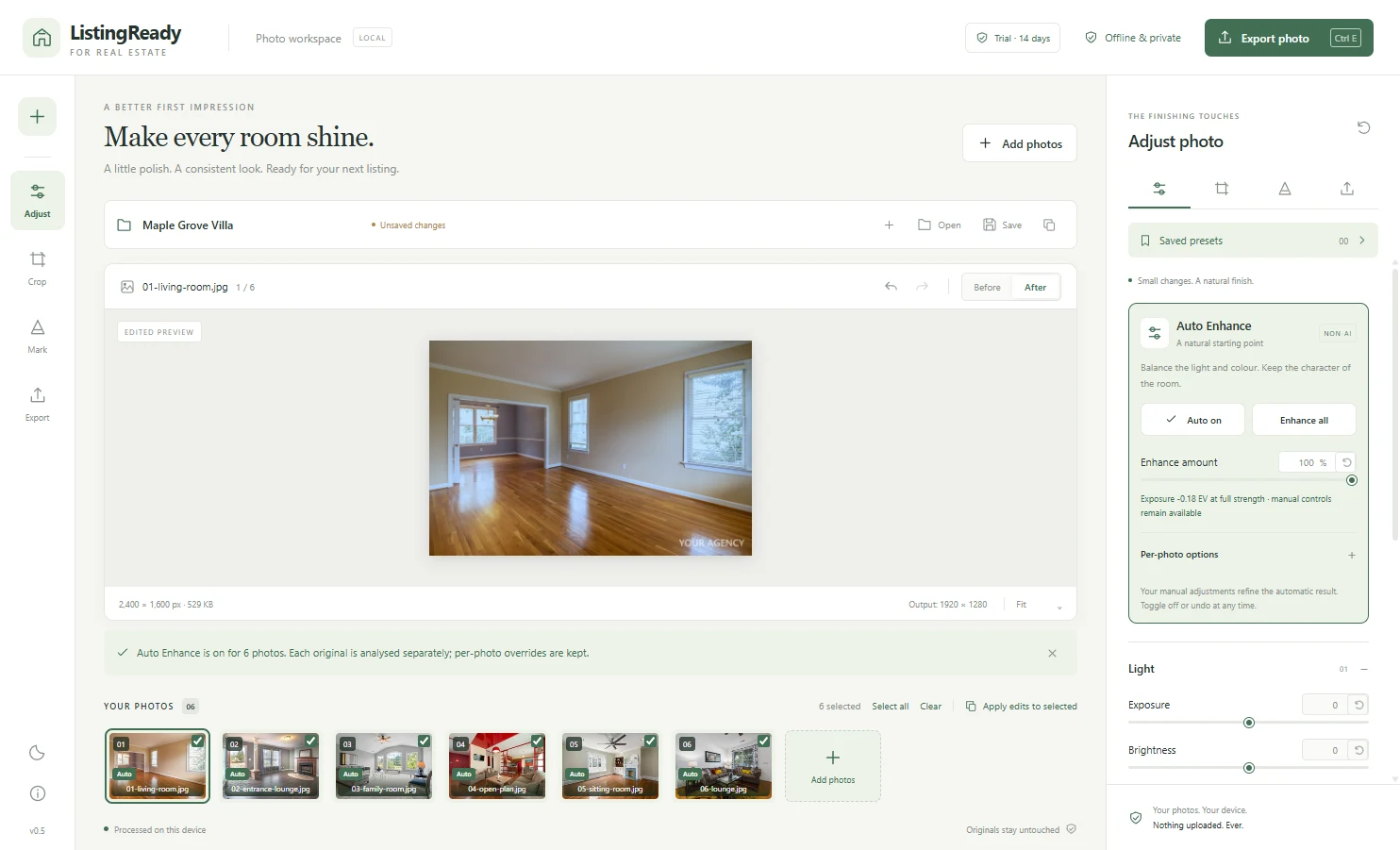
One click balances white balance, exposure, contrast and colour, then keeps the room looking like the room. No AI-generated imagery. Every step can be switched off per photo.
Windows software for real estate
ListingReady is a Windows app made for real estate: enhance, straighten, crop, watermark and export every photo of a listing in one go. Your photos never leave your computer.
AED 149 one-time (about US$41) · 14-day free trial · Version 0.5.1 · Windows 10/11 (64-bit)
What it does
Built for the daily job of getting photos ready for a portal, a brochure or social media, without sending client photos to a website.
One click balances white balance, exposure, contrast and colour, then keeps the room looking like the room. No AI-generated imagery. Every step can be switched off per photo.
Standard listing ratios, a free crop frame and a straighten control for tilted shots. Everything works from the keyboard too.
Text watermark with position, size and opacity controls. It is applied last, at final size, so it looks the same in the preview and in the exported file.
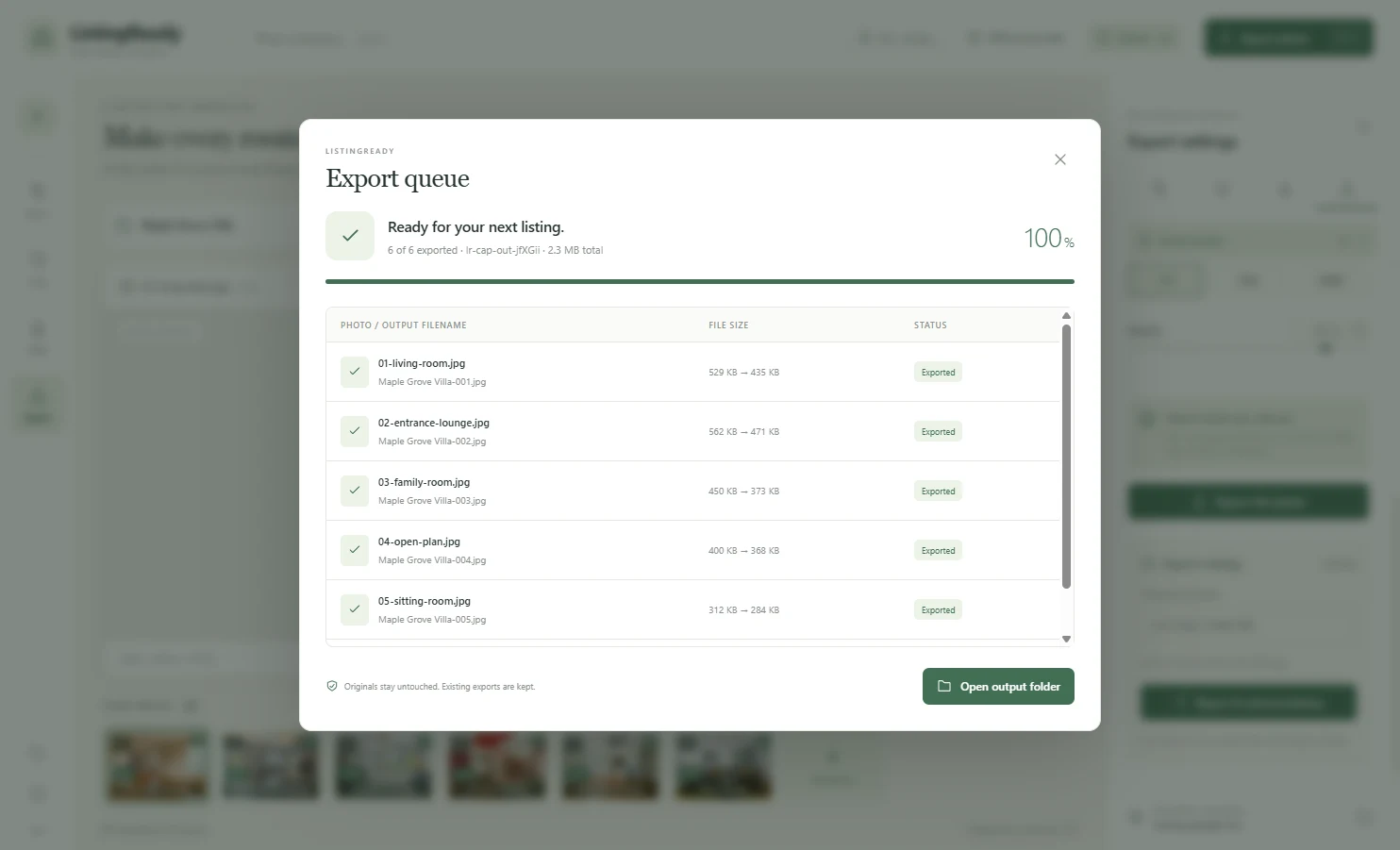
Select photos, apply the same look to all of them, name them with a pattern and export. A progress queue shows each file, lets you cancel, and retries only what failed.
Save your light, watermark and export settings as named presets. Save a listing as a project file and reopen it later with your edits intact.
The app never overwrites your original photos. Exports go to a folder you choose, and files are never replaced silently.
Before and after
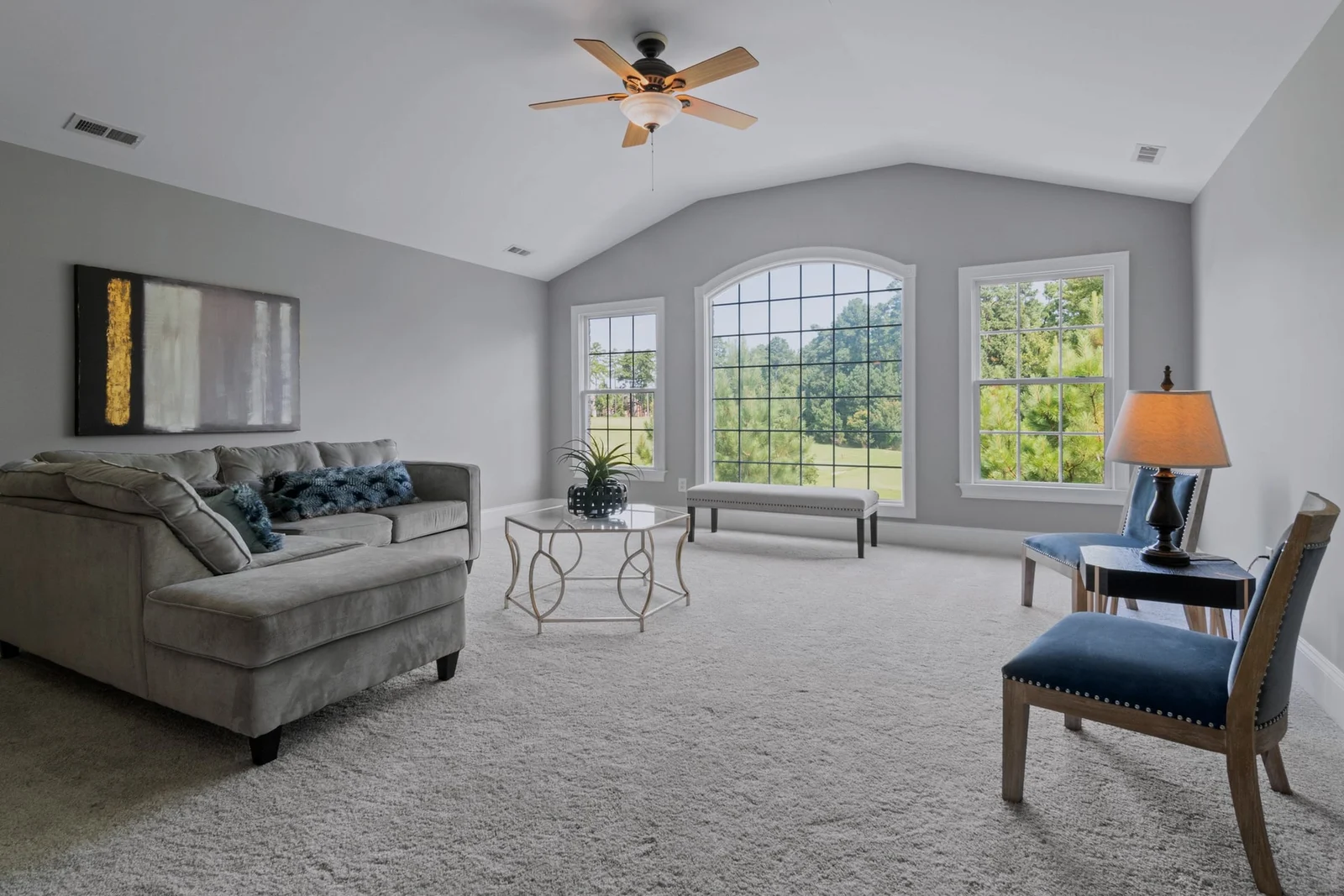
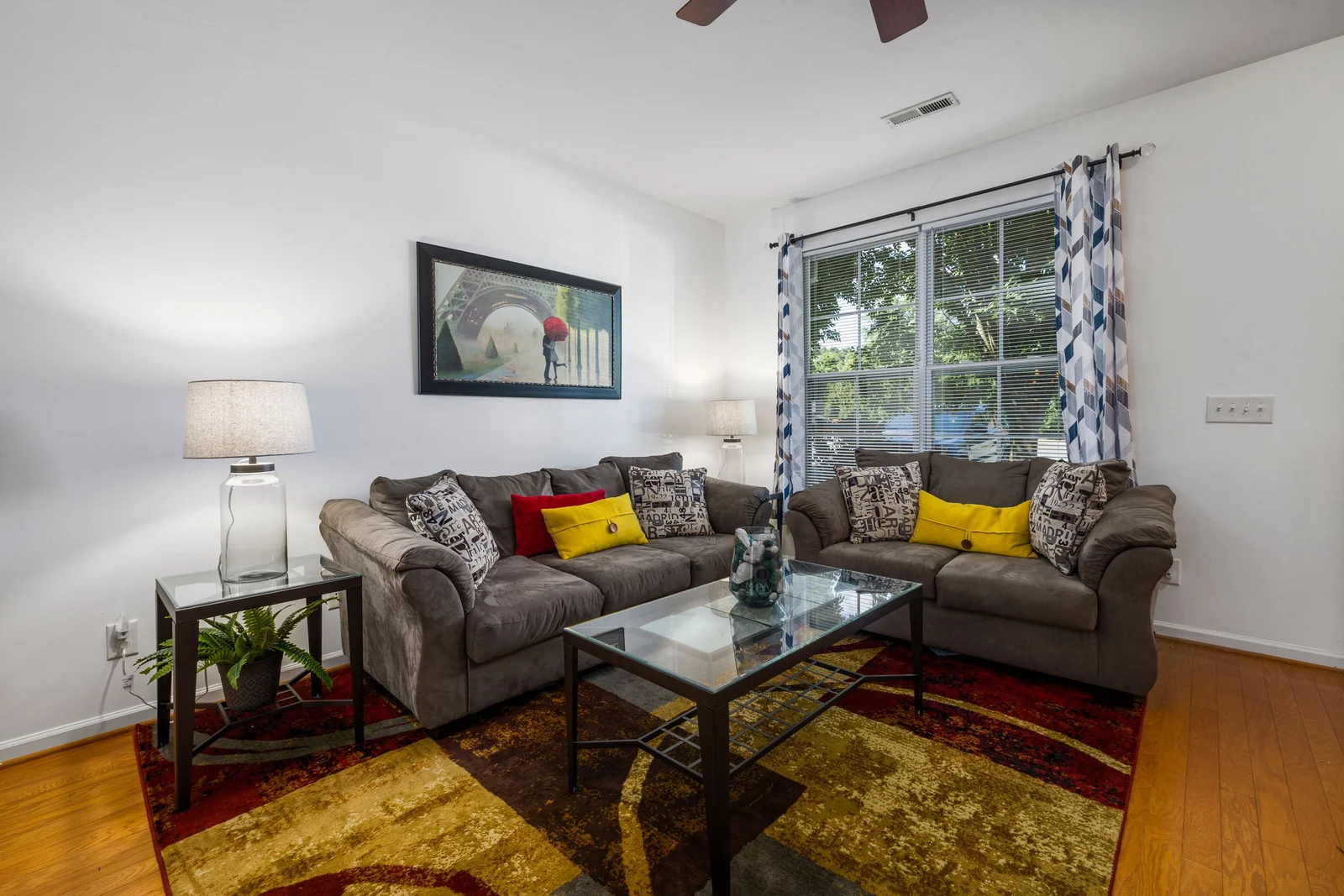
The Before/After toggle compares the same crop at the same size, so you always judge the real difference. Drag the handle to compare.
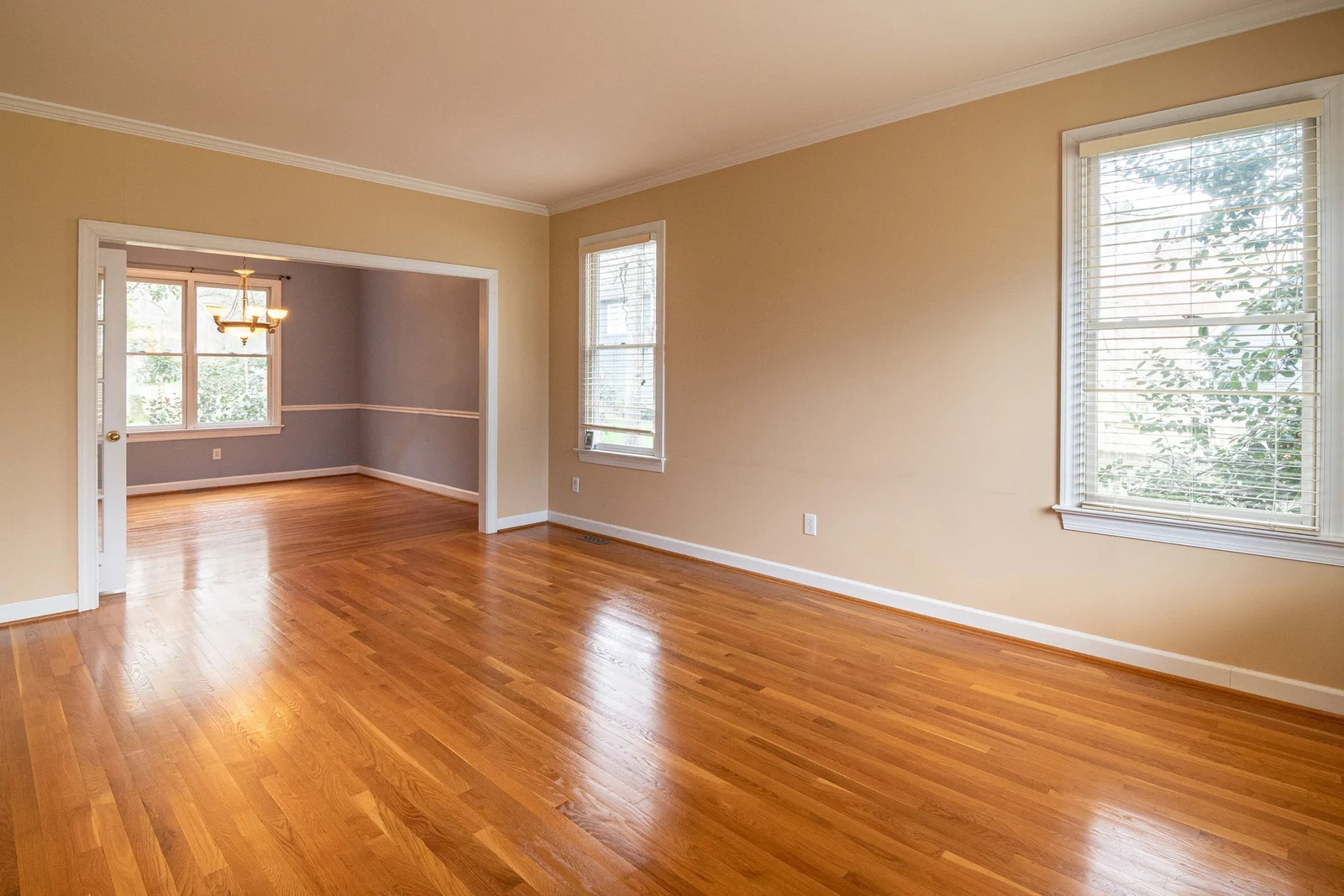
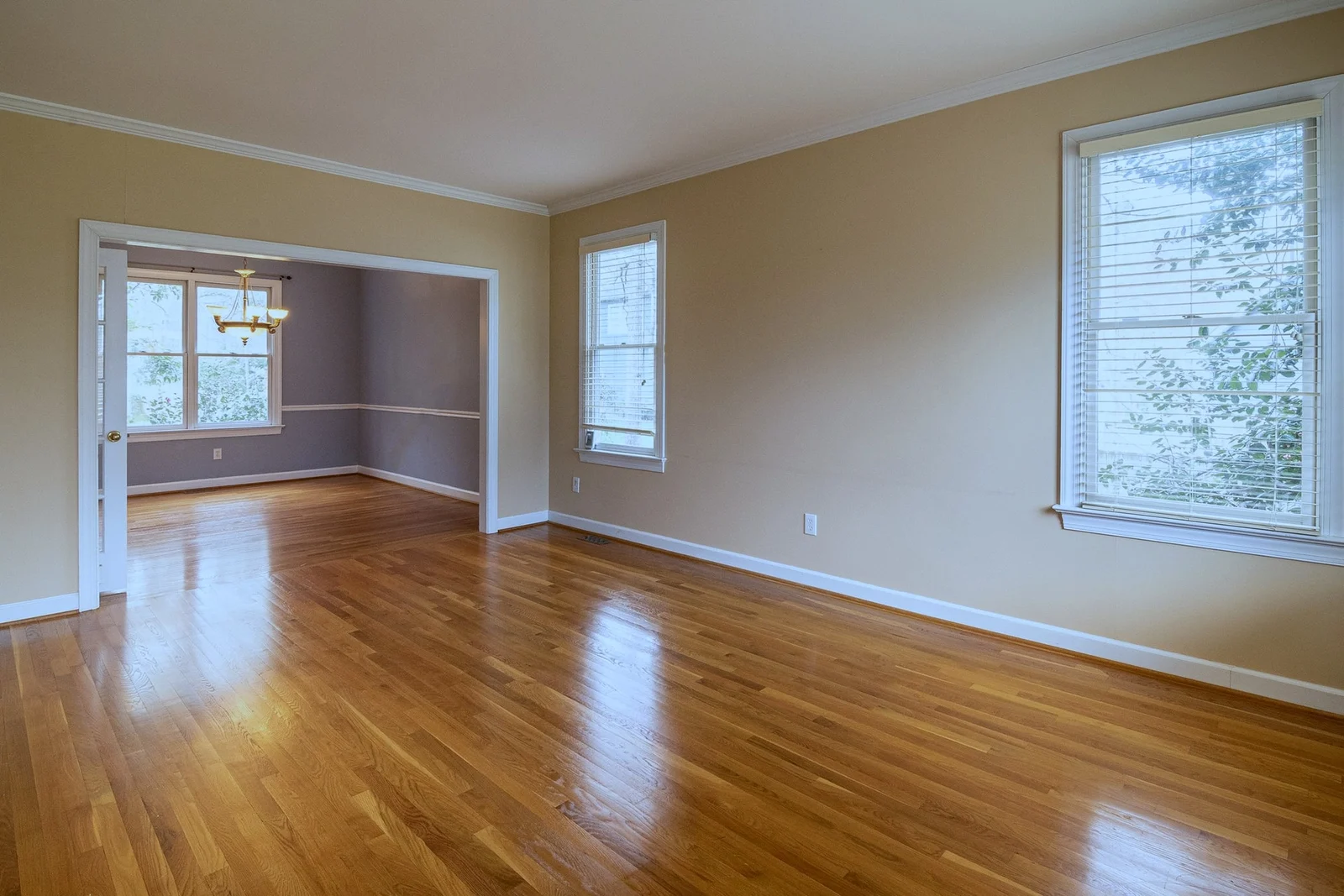
Warm cast removed — the yellow wall cast is neutralised and the window detail is kept
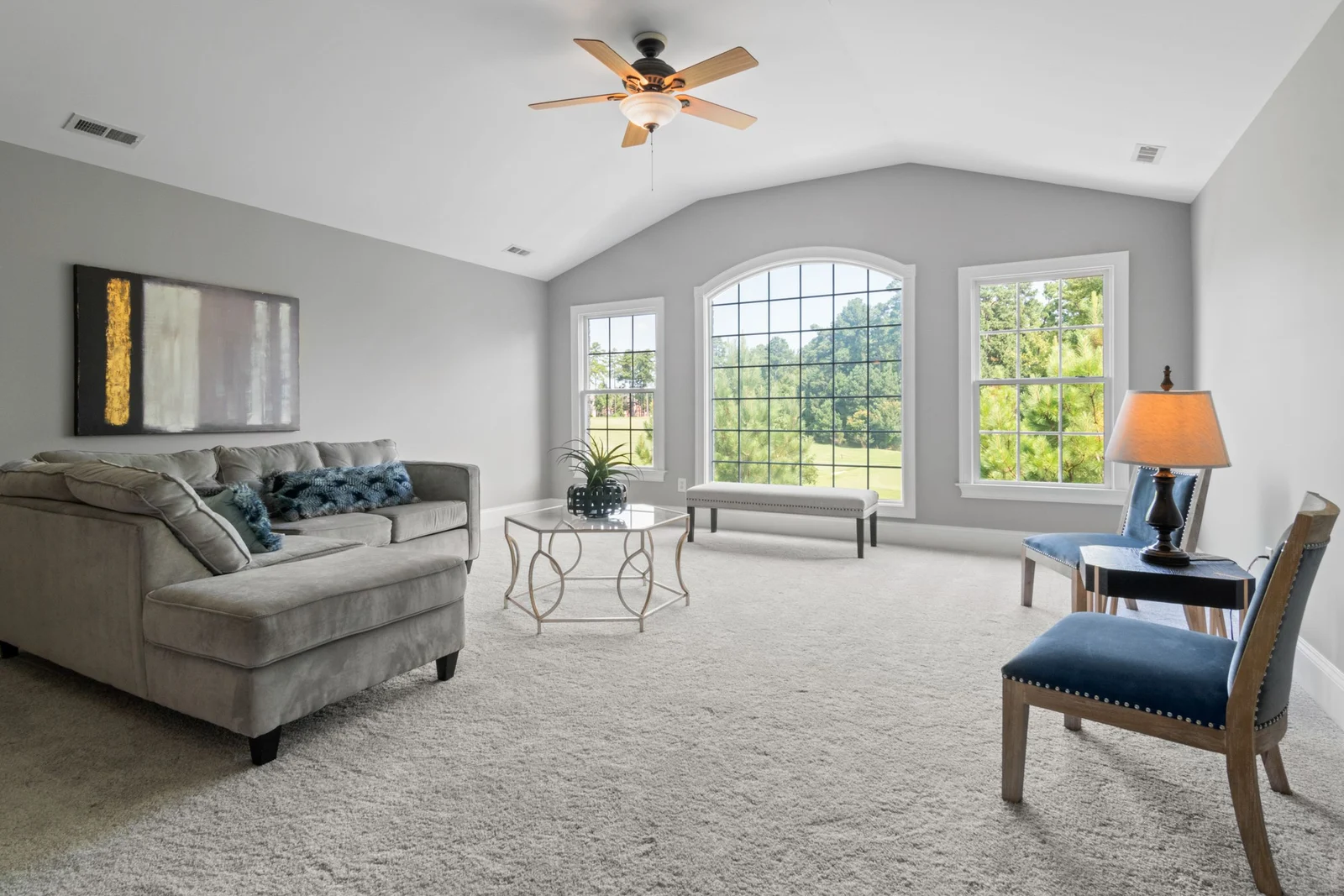
Cooler, cleaner light — a more even exposure across the room
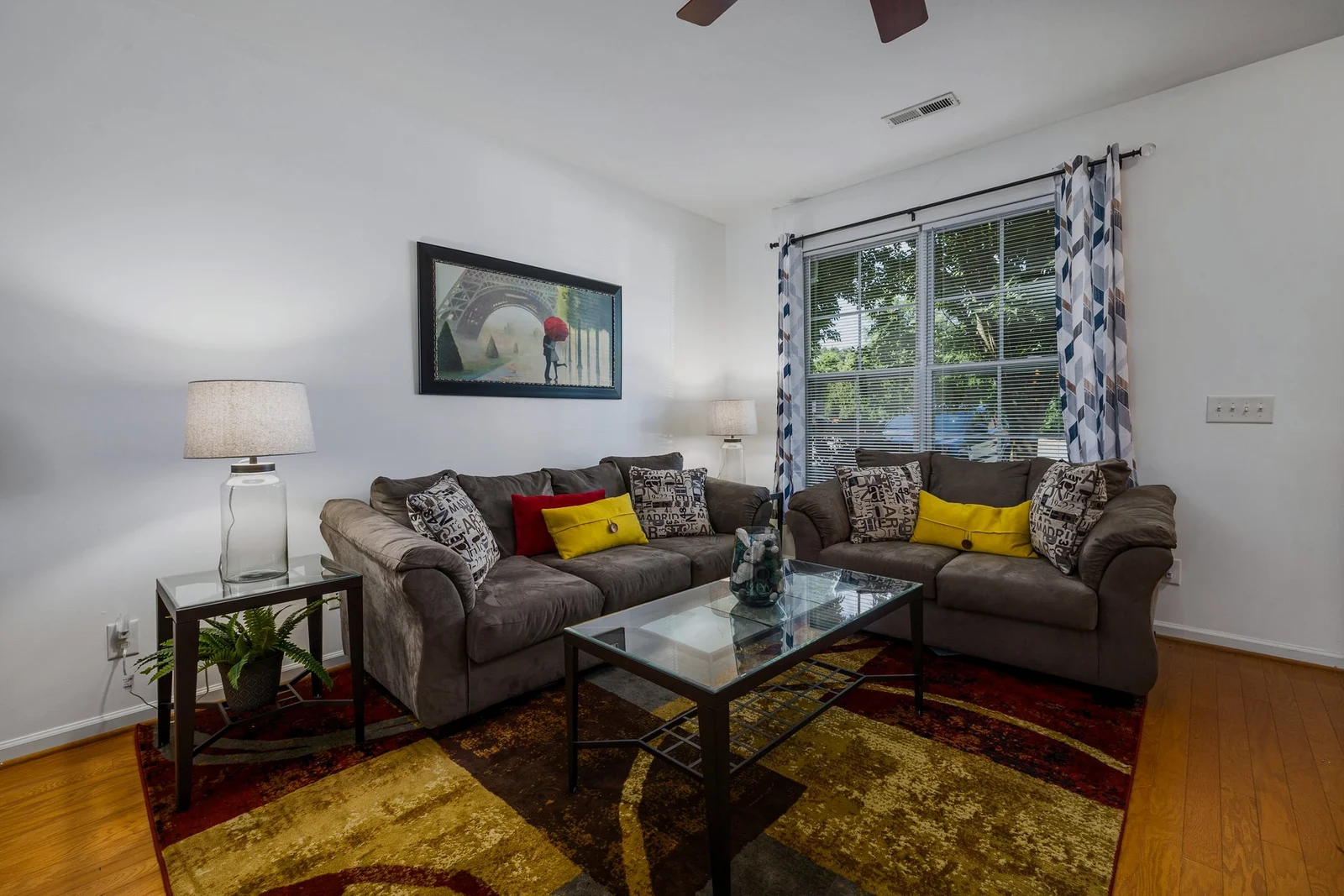
Brighter, whiter walls — cleaner whites while the sofa colours stay natural
Sample photos from Pexels (free to use). They were already professionally edited, so changes look gentle; straight-from-camera files usually show a bigger difference. Three of the six photos we tried are shown, and the other three changed even less. Results come from the app's Auto Enhance with default settings, not from manual retouching.
Auto Enhance is not AI. It makes modest, predictable corrections and you can lower or switch off each step per photo.
How it works
Drag a folder of JPG, PNG or WebP photos into the app, or use Choose photos.
Press Auto Enhance, adjust anything you like, set crop and your watermark.
Pick a size and quality, choose the output folder and export. Done.
Inside the app
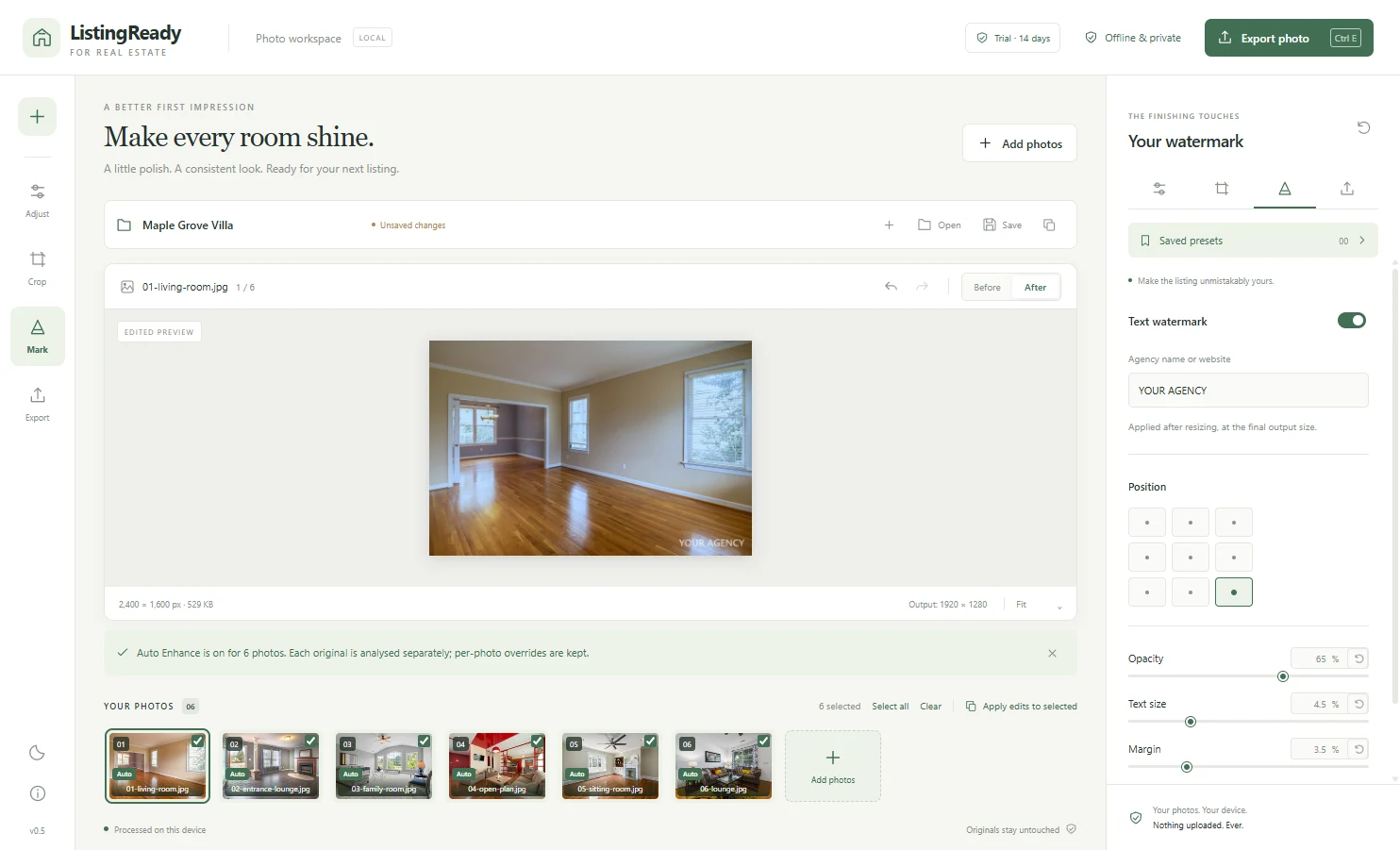
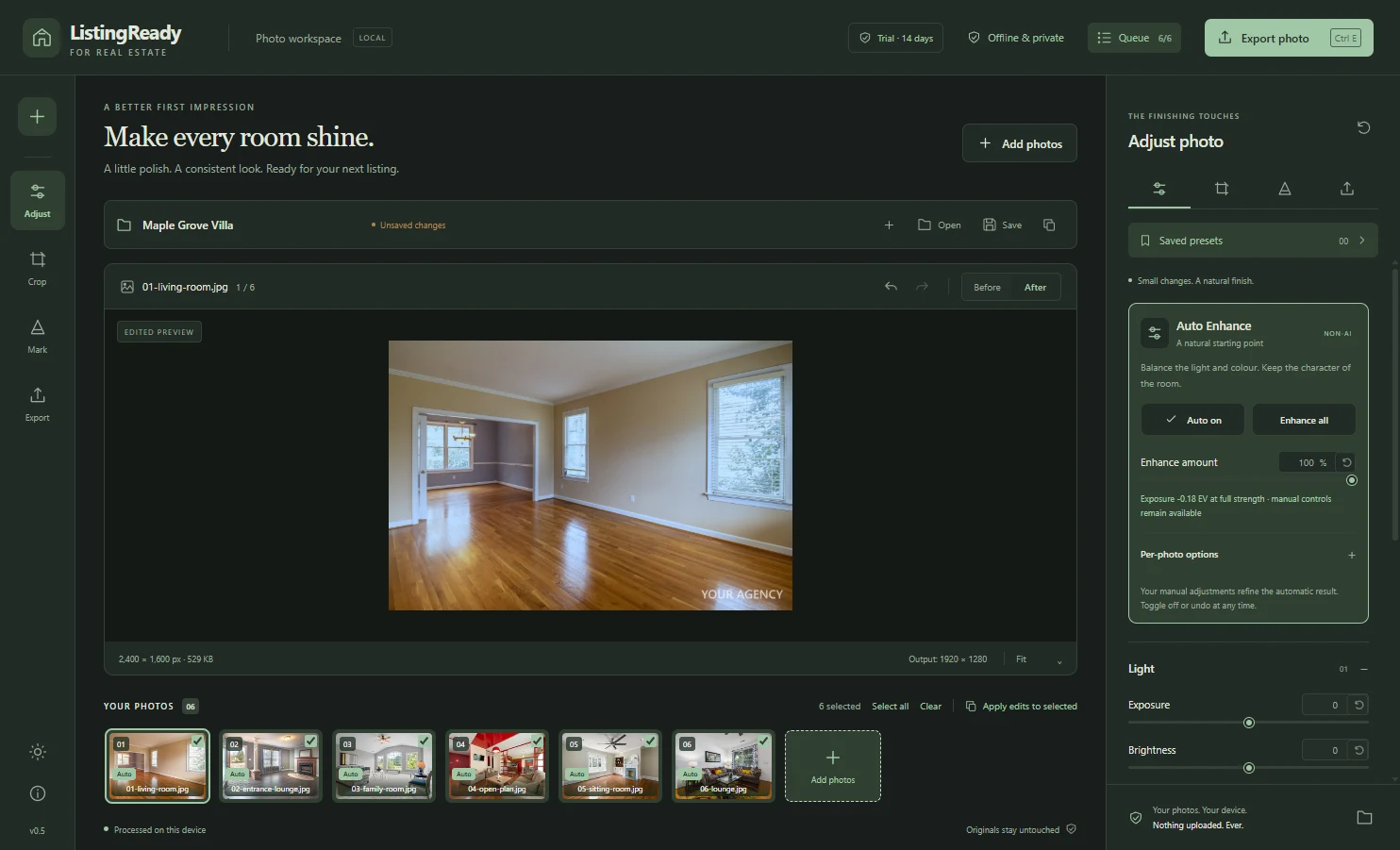
Privacy
Measured, not promised
| 100 photos, 12 MP | Enhanced, resized, watermarked and exported in about 78 seconds on a modern 8-core PC |
|---|---|
| 200 photos, 12 MP | Completed with no failures in about 156 seconds |
| Originals | Checked by hash before and after every test: never modified |
Tested on one modern 8-core Windows 11 PC with 12-megapixel test images. An older PC will take longer.
Pricing
No subscription. Try everything free for 14 days, then buy a licence if it saves you time.
Single licence
AED 149 one-time · about US$41
Update renewal (optional)
AED 49 per year · about US$13
Pay by bank transfer or PayPal. Refund terms are on the licence terms page.
Install it and try it on your own listing photos for 14 days. Every feature works.
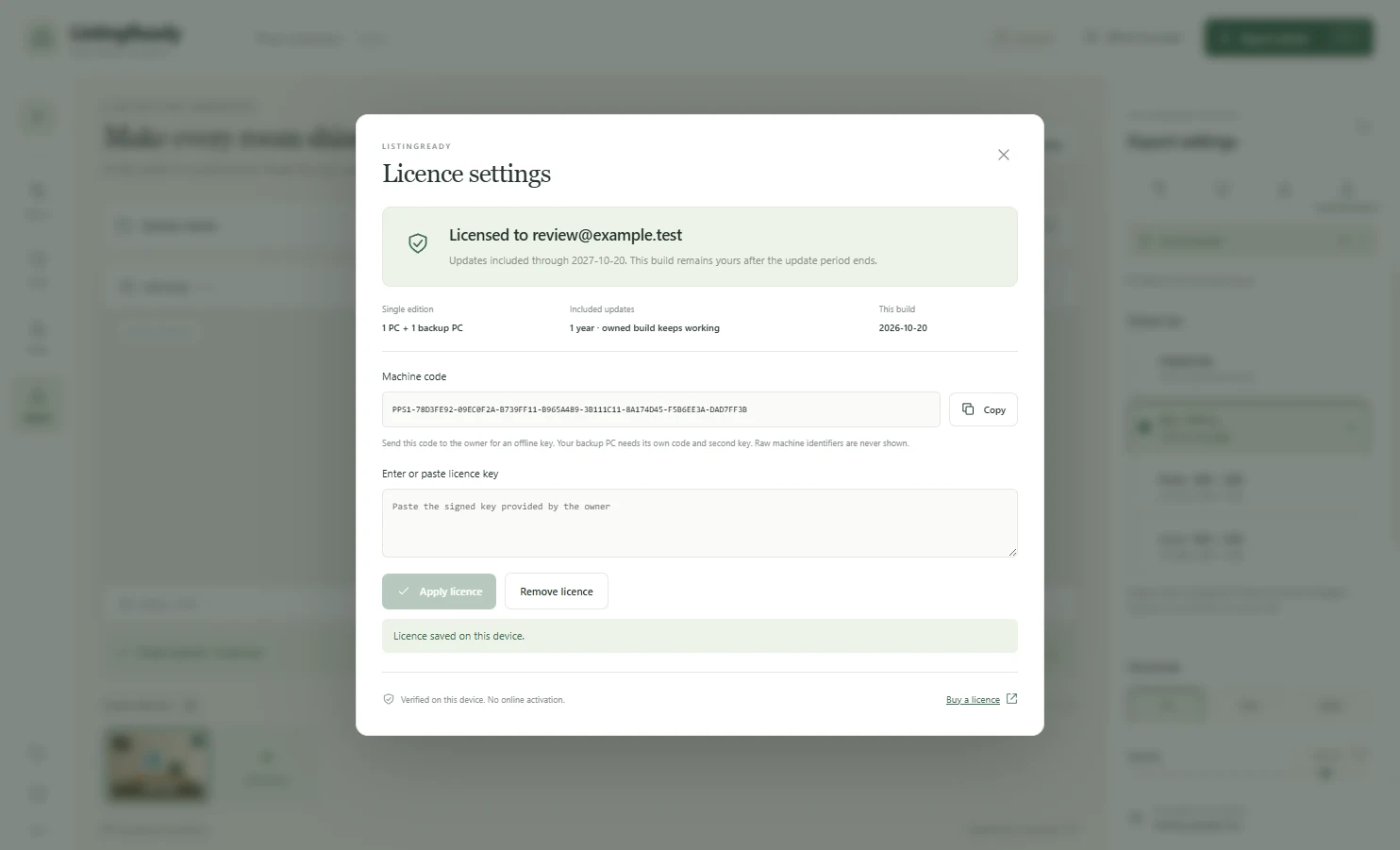
In the app open Licence settings, copy the Machine code and send it to us on WhatsApp or through the contact page.
We send the payment details. Nothing is charged automatically and no card details are stored.
We confirm your payment and send a licence key for your PC. Paste it into Licence settings and press Apply licence.
Free trial download
14 days, every feature, no export limit, no sign-up. Windows 10 or 11, 64-bit.
Version 0.5.1 · released 2026-10-21. The installer is not code-signed yet, so your browser or Windows may warn you. That is expected; the steps below show what to click.
SHA-256 checksum of the installer:
1d00e203b54c844e0dca27949ee778c42b5513cc477218fb9fc05a1ed51af1a6In PowerShell: Get-FileHash .\ListingReady-Setup-0.5.1.exe -Algorithm SHA256. The result must match exactly.
Requirements
| Operating system | Windows 10 or 11, 64-bit. Tested on Windows 11. Windows 10 has not been tested yet. |
|---|---|
| Memory | 8 GB recommended. A 200-photo batch of 12-megapixel images stayed within about 2.2 GB in our tests. |
| Disk space | The installer is about 120 MB. Allow a few hundred MB free for the installed app, plus room for your exports. |
| Graphics card | Not required. Processing uses the CPU. |
| Internet | Not required to use the app. |
| Install | Installs for your own Windows user. Administrator rights are not required. |
Honest limits
Installing
The installer is not code-signed yet, so Windows may warn you the first time. Here is exactly what you will see and what to do. Your browser may also say the file is not commonly downloaded: choose Keep.
Download the installer and, if you can, compare its SHA-256 checksum with the one we send you.
Double-click the installer. If Windows shows a blue Windows protected your PC window, click More info, then Run anyway. This appears because the installer is not code-signed yet.
Choose the install folder (the default is fine). Administrator rights are not required.
Open the app from the Start menu. On some PCs the very first start takes longer while security software scans the new program. This is normal and only happens once.
To activate: open Licence settings in the app, copy your Machine code, send it to us, then paste the key we send back and press Apply licence.
Licence terms, refunds and support are on the licence terms page.
Questions
Real estate agents, brokerages, property photographers and property managers who prepare listing photos for portals, brochures and social media. It is built around that one job, so it stays simple.
A single licence is AED 149 (about US$41), paid once. It covers 1 PC plus 1 backup PC and includes 1 year of updates. After the year the version you have keeps working forever; an optional update renewal is AED 49 (about US$13) for another year of updates. The 14-day trial is free.
No. The app edits and exports photos entirely on your own computer. It does not send photos, file names or project data to any server.
No. You can install it, use it and activate a licence key without internet. The only online action is the Buy a licence button, which opens this website in your browser.
No, it is not AI. It uses a fixed, predictable method: it measures the colour and brightness of your photo, then makes modest corrections to white balance, exposure, contrast and colour, and adds mild sharpening. Because it is deterministic, the same photo gives the same result every time. You can lower its strength, turn individual steps off, and adjust everything by hand.
It gives you a clean, natural starting point quickly. Warm decor can occasionally need a manual tweak, and it cannot recover detail from areas that are completely blown out in the original. That is why every automatic step can be adjusted or turned off per photo.
Yes. The app includes a 14-day full-feature trial with no export limit. After the trial you can still open the app, open and save projects and edit; exporting needs a licence key.
Your photos and projects are never deleted or locked. You can keep editing and saving projects. Only exporting is paused until you enter a licence key.
A licence is a one-time purchase that includes one year of updates. After that year, the version you have keeps working forever; you only need to renew if you want newer versions. A licence key is tied to one PC. You can have a second key for one backup PC.
Open Licence settings in the app and copy your Machine code. Send it to us on WhatsApp or through the contact page, and pay by bank transfer or PayPal. Once we confirm the payment we create a key for that PC and send it to you by email. You paste it into the app and it activates immediately. Keys are issued by hand, so allow a short wait during business hours.
Yes. Send us the new machine code and we will issue a replacement key. There is no automatic transfer because the app does not phone home.
The installer is not code-signed yet, and Windows warns about any new unsigned installer. Also, on some PCs the very first start after installing can take longer while security software scans the new program. Check the SHA-256 checksum we publish for the installer to confirm it is the genuine file, then choose More info and Run anyway if you are comfortable.
JPG, PNG and WebP, including large files from modern cameras. HEIC and animated images are not supported yet. It skips damaged files with a clear message instead of stopping the batch.
A text watermark (your agency name, phone or website) with position, size and opacity controls, saved in presets. Logo and tiled watermarks are planned but not in this version.
Common listing sizes (for example web and social sizes) in JPG, PNG or WebP with a quality setting, and your own presets. Portal-specific presets are planned. Always check the current requirements of your listing portal.
Please use the free 14-day trial first; it exists so you can check the app on your own photos before paying. Once your key has been issued, the licence is not refundable. The exceptions are being charged twice, not receiving a working key, or us being unable to get the app to install or activate on a supported PC after reasonable help. The full terms are on the licence terms page.
Support for installation, activation and bugs is through the enquiry form, email or WhatsApp on the Contact page, during business hours. There is also a short built-in user guide and a Copy diagnostics button that gathers non-personal technical details you can paste into an email. It never includes your photos, file names or machine code.
The app is built from open, commercially licensed components only, and the full list of third-party notices is inside the app under Open-source notices. It has no ads, no tracking and no hidden background services.
What's new
Start the free 14-day trial today. If it works for your photos, a licence is AED 149 once, with a year of updates.