A bank that is yours
Organise questions by class, subject, chapter, type, difficulty and marks: multiple choice, short, long, fill-in and true/false, in English and Urdu, with maths formulas.
Windows software for teachers and schools
Question Paper Maker keeps your questions in one bank on your own Windows PC and turns them into exam papers. Choose questions yourself or by rule, make up to three shuffled sets with an answer key and a marking scheme, and export a print-ready PDF and an editable Word file. It works fully offline: nothing is uploaded.
AED 149 one-time · 14-day free trial · Version 1.0.0 · Windows 10/11 (64-bit)
What it does
For teachers, schools and academies that write their own exam papers. You keep the questions; the app builds the paper, the sets, the key and the scheme, and works out the totals.
Organise questions by class, subject, chapter, type, difficulty and marks: multiple choice, short, long, fill-in and true/false, in English and Urdu, with maths formulas.
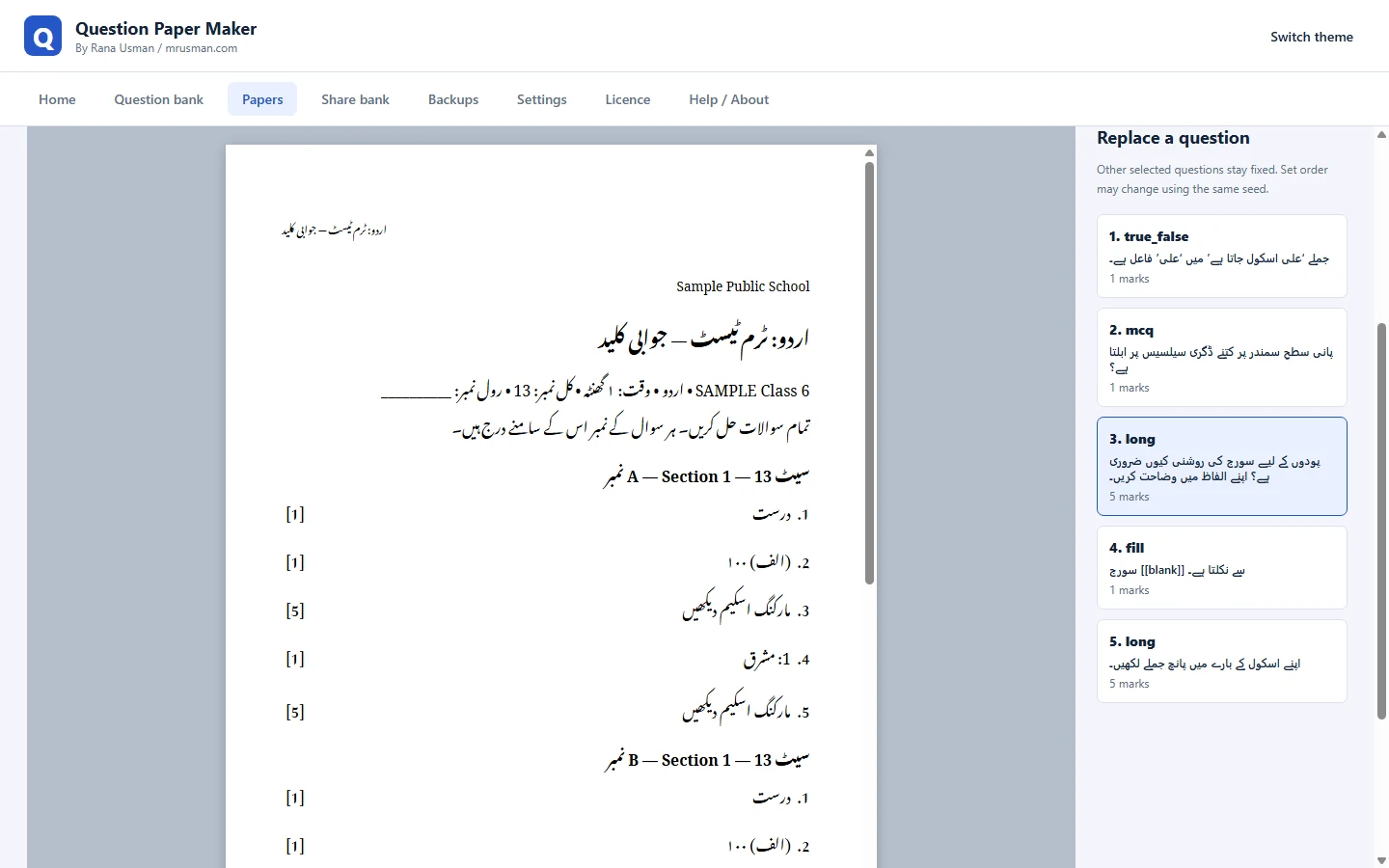
Pick the questions yourself, or set a rule such as 10 multiple choice questions from chapters 1 to 3 at medium difficulty. You can choose to avoid questions used recently.
The total marks are always calculated from the questions, never typed. If your bank cannot satisfy a rule, the app says exactly what is missing and does not quietly make a shorter paper.
Up to three sets, A, B and C, with the same questions and the same total, in a different order. Each paper comes with an answer key and a marking scheme.
Print-ready PDF with your school's logo, header, instructions and paper time, and an editable Word file. The PDF is the version to print.
It saves as you type, makes automatic backups you can restore, and any paper can be checked and reproduced later from its stored settings. Share a bank between your own PCs with a file.
How it works
Type them in, or import a bank file from your own other PC. The app comes with no textbook or board questions.
Choose questions by hand or by rule, add your header and instructions, and generate one to three sets.
Look at the preview, check every question and total, then export the PDF for printing and Word if you need to edit.
Inside the app
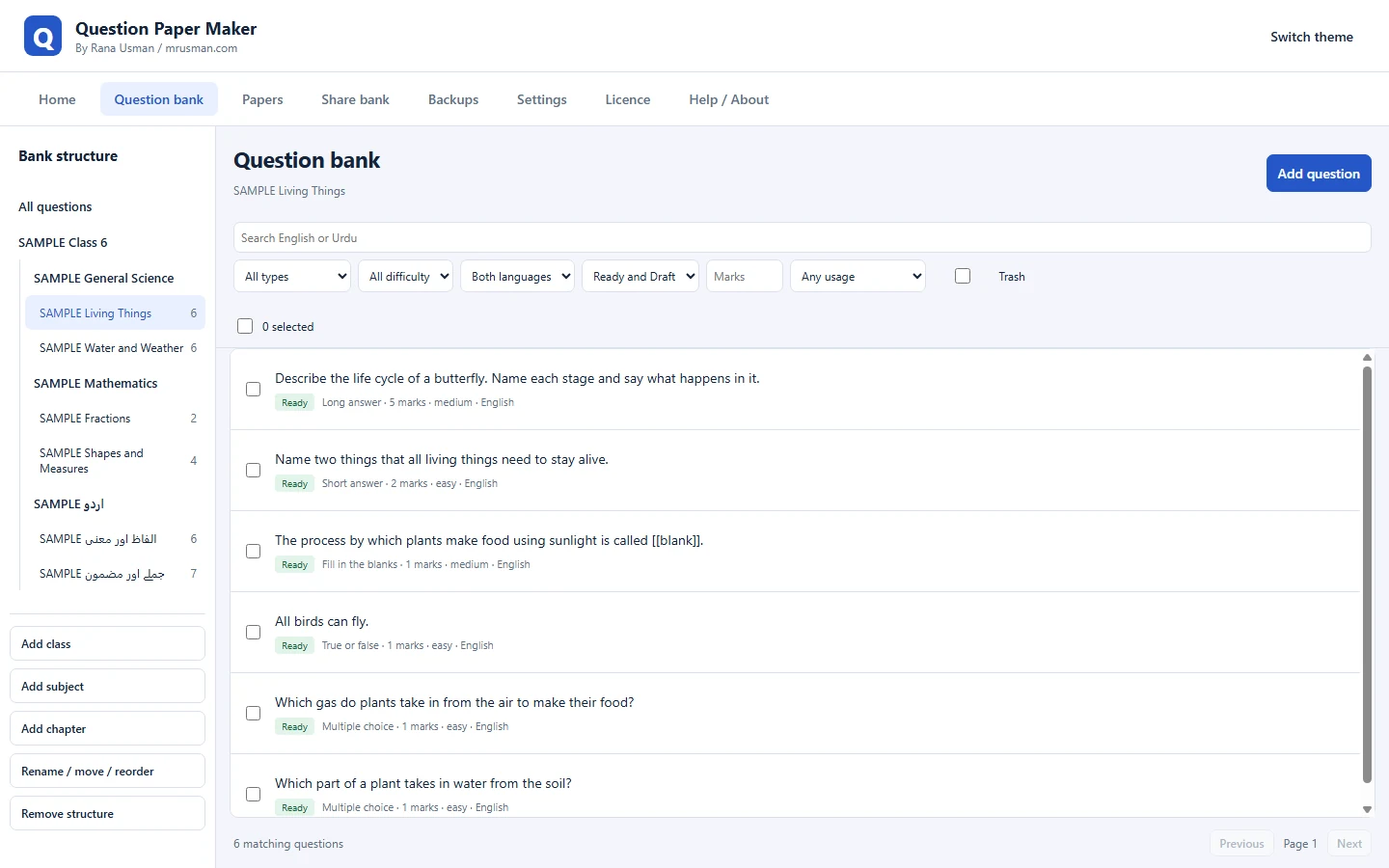
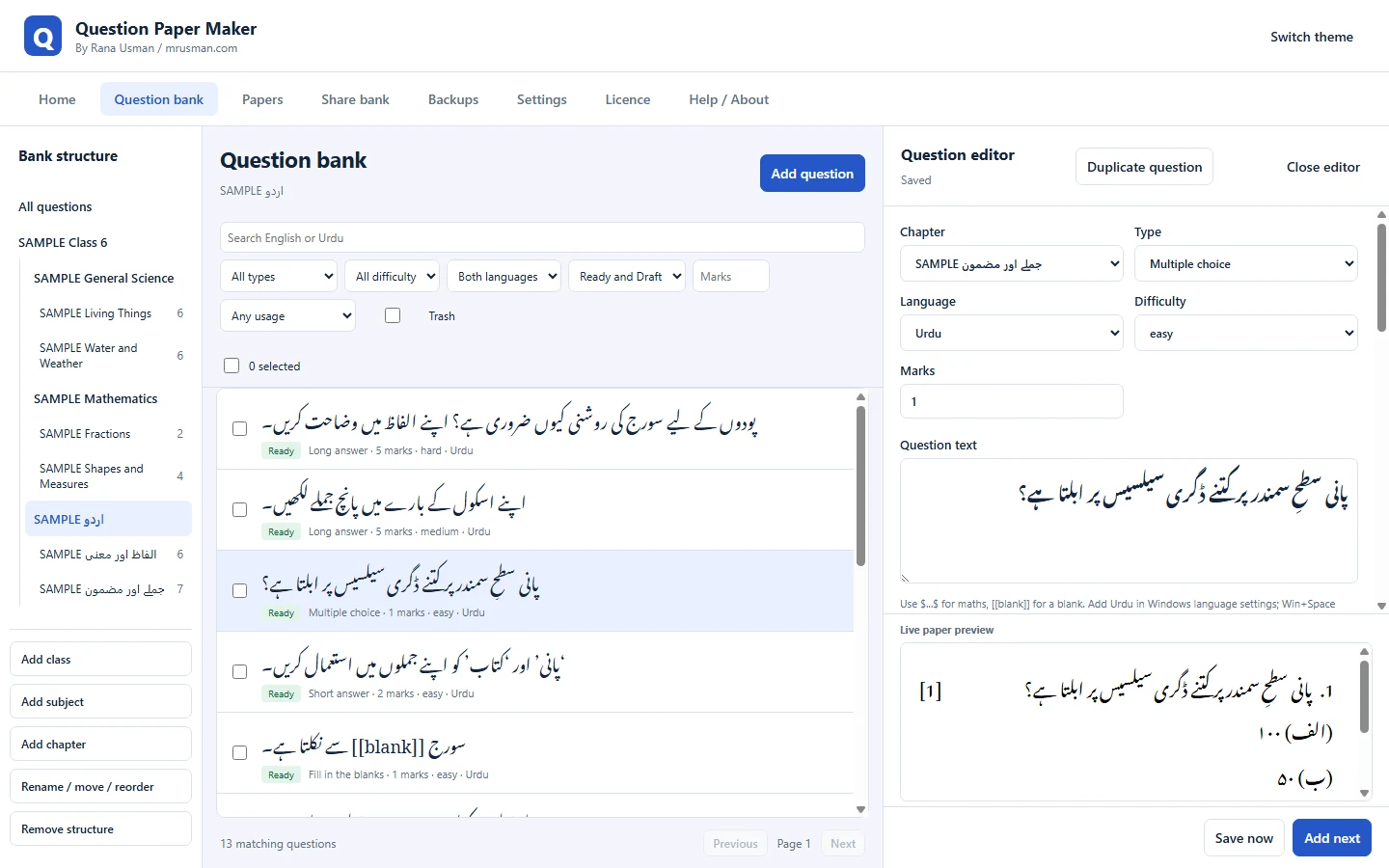
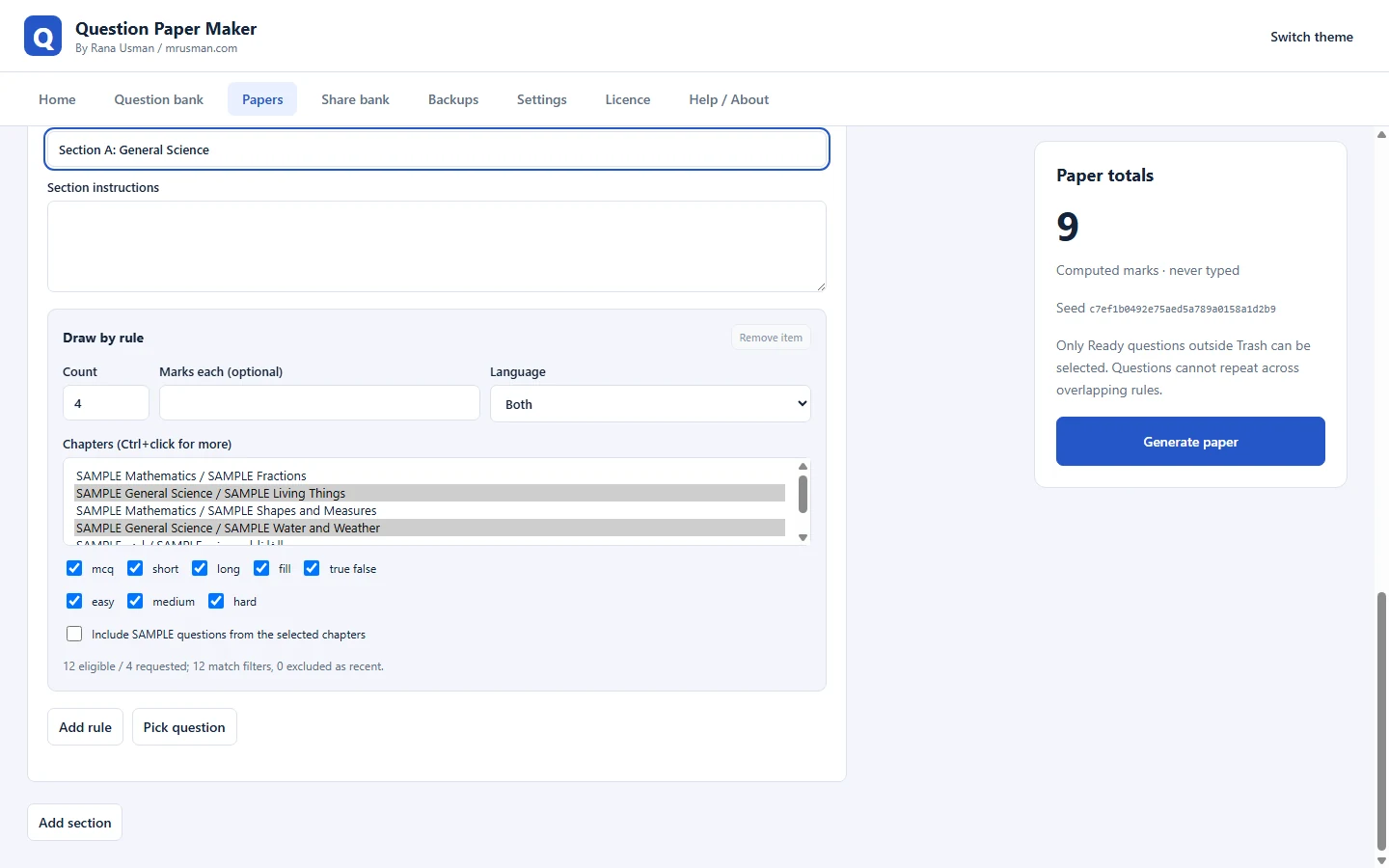
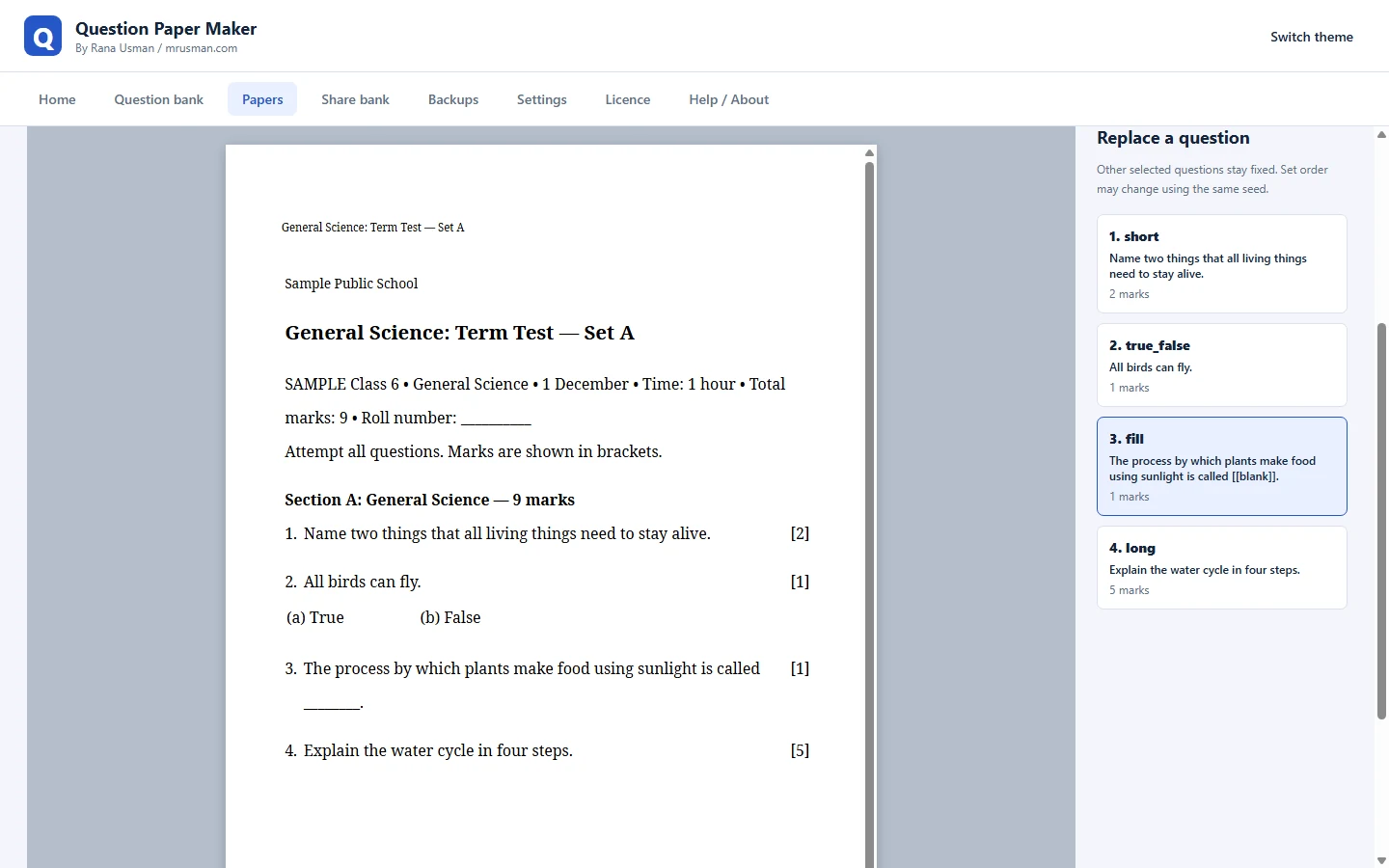
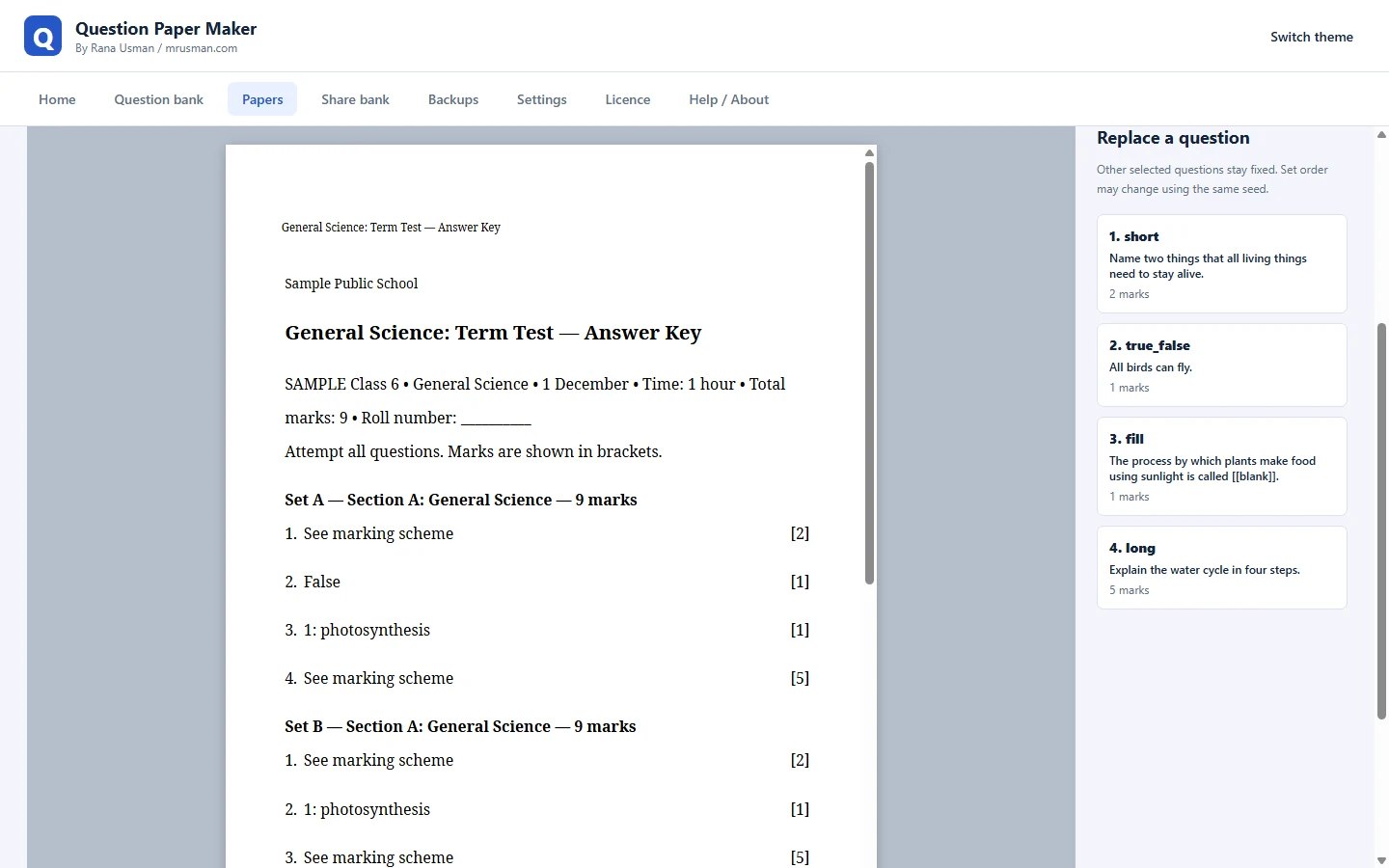
Screenshots from the app. The questions in them are samples written for this app; the app itself comes with no questions.
Privacy
Honest limits
Pricing
Try everything free for 14 days. After the trial, exporting PDF and Word papers needs a licence; your questions and papers always stay available. Nothing is ever charged automatically.
One-time licence
AED 149 one-time · about US$41
Update renewal (optional)
AED 49 per year · about US$13
Pay by bank transfer or PayPal. Refund terms are on the licence terms page. Each app is licensed separately.
14 days with every feature. Make a real paper and print it.
In the app open the Licence screen, press Copy machine code and send the code to us on WhatsApp or through the contact page.
We send the payment details. Nothing is charged automatically and no card details are stored.
We confirm your payment and send a licence key for your PC. Paste it into Licence key on the Licence screen and press Apply licence. The key is checked on your PC, with no internet needed.
Free trial download
14 days, every feature, no sign-up. Windows 10 or 11, 64-bit.
Version 1.0.0 · released 2026-11-24. The installer is not code-signed, so your browser or Windows may warn you. That is expected; the install steps below show what to click.
SHA-256 checksum of the installer:
7fc6456e82504305c823fa250e1aeb0b5e68b32c6fe08584d909e7da521a295eIn PowerShell: Get-FileHash .\Question-Paper-Maker-Setup-1.0.0.exe -Algorithm SHA256. The result must match exactly.
| File | Size | SHA-256 |
|---|---|---|
| Portable ZIP (no installer) | 122.8 MB | d194451d950f891cebea222c9bfe8c1d64502c9a62c639b4f3ffc3861d1ade28 |
| Electron's FFmpeg source (ffmpeg.dll, LGPL) | 26.3 MB | 0b583355d51474b7cff8d40905e3c2a34f58c67720bac98e501cee62c86d75f1 |
The portable ZIP runs from any folder you can write to, without installing. The source archive is the corresponding source for the FFmpeg library that Electron ships as ffmpeg.dll, offered under the LGPL; you do not need it to use the app.
Requirements
| Operating system | Windows 10 or 11, 64-bit. |
|---|---|
| Urdu typing | A Windows Urdu keyboard, added in Windows settings. |
| Word | Needed only to open and edit the Word files. The PDF needs a PDF reader. |
| Internet | Not required to use the app. |
| Install | Installs for your own Windows user. A portable ZIP is also available. |
Installing
The installer is not code-signed, so Windows may warn you the first time. Your browser may also say the file is not commonly downloaded: choose Keep.
Download the installer and, if you can, compare its SHA-256 checksum with the one on this page.
Double-click the installer. If Windows shows a blue Windows protected your PC window, click More info, then Run anyway. This appears because the installer is not code-signed.
Accept the licence terms and choose the install folder (the default is fine). Administrator rights are not required.
Open Question Paper Maker from the Start menu. On the first start you enter your school's name and see the trial terms and where backups go.
To activate: open the Licence screen, press Copy machine code, send the code to us, then paste the key we send back into Licence key and press Apply licence.
Licence terms, refunds and support are on the licence terms page.
Questions
A Windows program for teachers, schools and academies. You keep your own questions in a bank on your PC and turn them into exam papers, with shuffled sets, an answer key and a marking scheme, in English and Urdu.
No. It comes with no textbook or board questions and cannot download any. You add your own, and you are responsible for having the rights to every question you add, import or share.
The free trial comes first and has every feature for 14 days. After it, exporting a PDF or Word paper needs a licence key. A licence is bought once, covers 1 PC plus 1 backup PC and includes 1 year of updates; the version you have keeps working after that year, and an update renewal is optional. The price is shown on this page once it is set.
Exporting a PDF or Word paper, key or scheme needs a licence key. Your questions and papers stay yours: you can still open, edit, preview, back up and export your bank.
Urdu questions are supported in the PDF and in the Word file. Fonts can differ from PC to PC, and Word can substitute a font on another PC, so print a test page and read every paper before you use it.
Print the PDF. The Word file is for editing. It can look different on another PC, depending on its fonts and version of Word, and marks you change in Word are not rechecked.
Only on your PC. The app works offline and never uploads your bank. Backups go to your Documents folder, and you can share a bank between your own PCs with a file.
No. Each app has its own licence key. If you already use one of them, your machine code is the same, so we can issue several keys from one message.
Yes. Send us the new machine code and we will issue a replacement key at no charge. Move your bank with a bank file or a backup.
The installer is not code-signed, and Windows warns about any new unsigned installer. Check the SHA-256 checksum we publish for the installer to confirm it is the genuine file, then choose More info and Run anyway if you are comfortable.
Please use the free 14-day trial first. Once a key has been issued, a licence is not refundable. The exceptions are being charged twice, not receiving a working key, or us being unable to get the app to install or activate on a supported PC after reasonable help. The full terms are on the licence terms page.
What's new